Connect your audio
Choose the audio input for the speech tools and check that the preacher’s voice can be heard clearly.
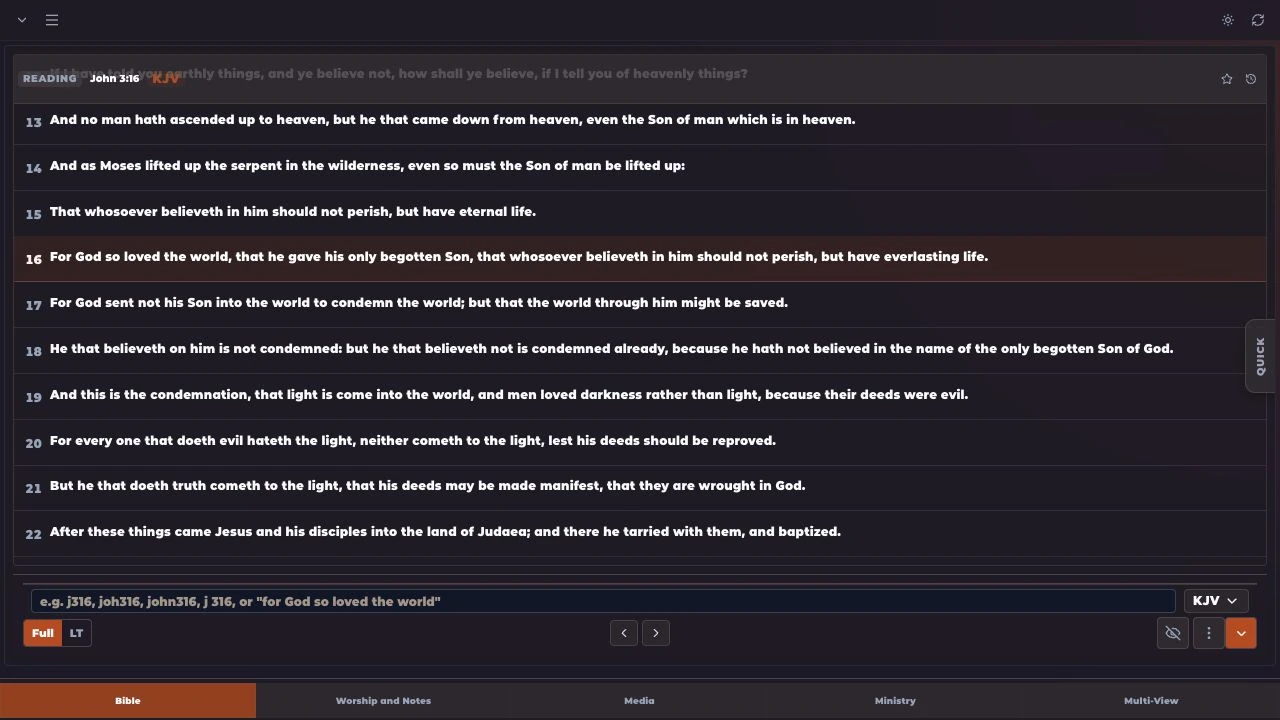
For God so loved the world, that he gave his only begotten Son…
Ready to review and presentIllustrative example
A preacher calls a Bible reference. Use MakeChurchEazy’s speech and AI tools to find the scripture faster and prepare it for presentation.
Get MakeChurchEazySee how it worksA LITTLE PREPARATION. A SMOOTHER SERVICE.
Less typing. Less searching. Faster response.
Choose the audio input for the speech tools and check that the preacher’s voice can be heard clearly.
When a Bible reference is spoken, use the scripture suggestions to locate the passage more quickly.
Check the suggested passage and choose what to show. Keep your operator in control of what reaches the screen.
Yes. Speech and AI services require an internet connection and are subject to your plan and available credits.
Yes. Review the reference and passage before presenting it. Automatic queue and suggestion behavior can be configured in the app.
Recognition depends on the audio and spoken context. Use a clear audio input and have an operator review suggestions during the service.
Feature availability and limits vary by plan. Compare current plans.
KEEP EXPLORING
FOR THE PEOPLE BEHIND THE SERVICE